
The purpose of this guide is to illustrate the issues with managing UCCs on cPanel shared hosting, including when reissuing certificates.
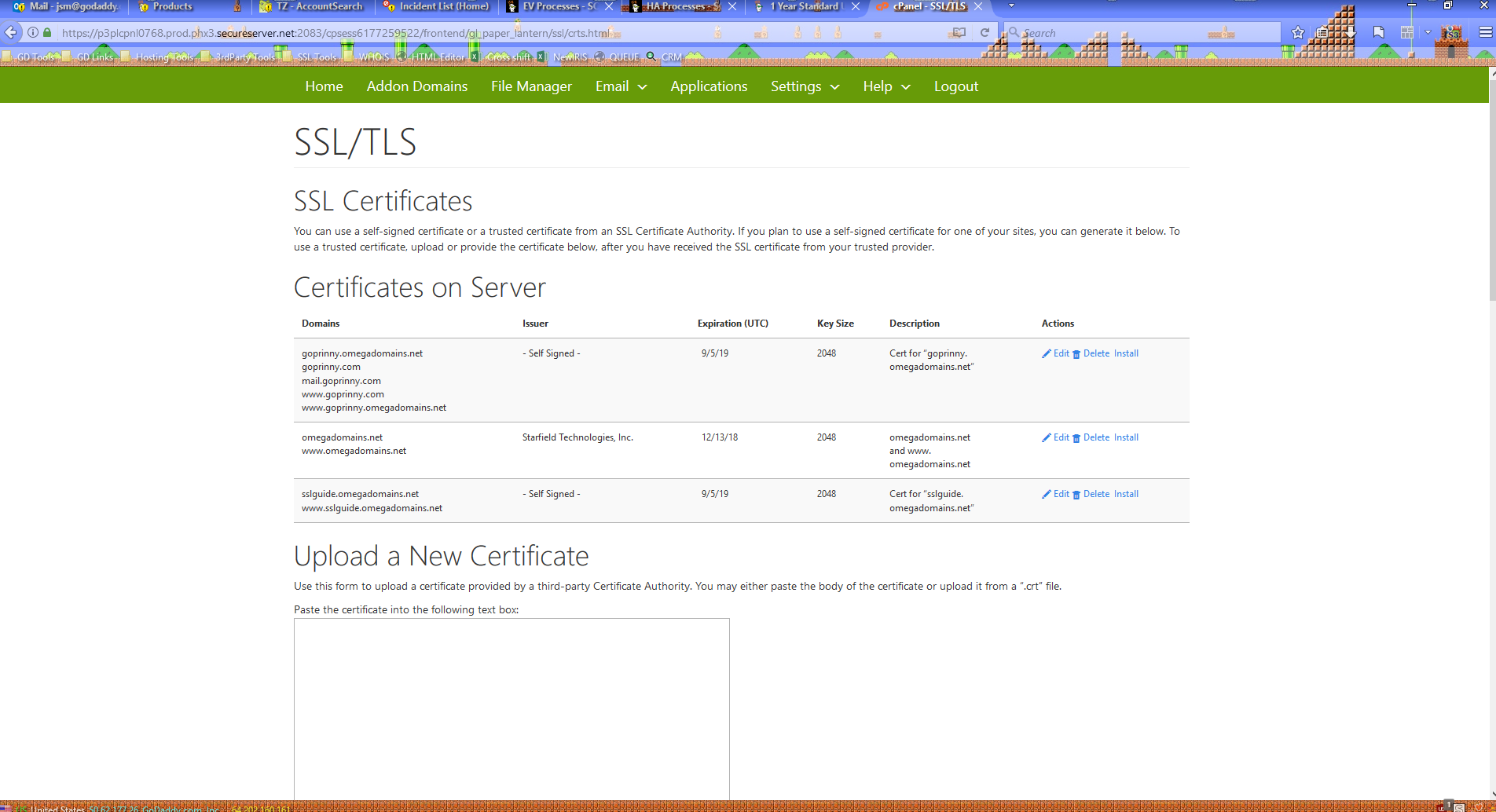
The first issue begins even before installing the certificate. It appears that cPanel automatically generates a self-signed certificate when adding new subdomains or add-on domains. I manually deleted these, since they serve no purpose. Self-signed certificates are not trusted by any browser, because they aren't issued by a trusted Certificate Authority (CA).
The valid cert listed here for omegadomains.net is a single-domain SSL issued previously.
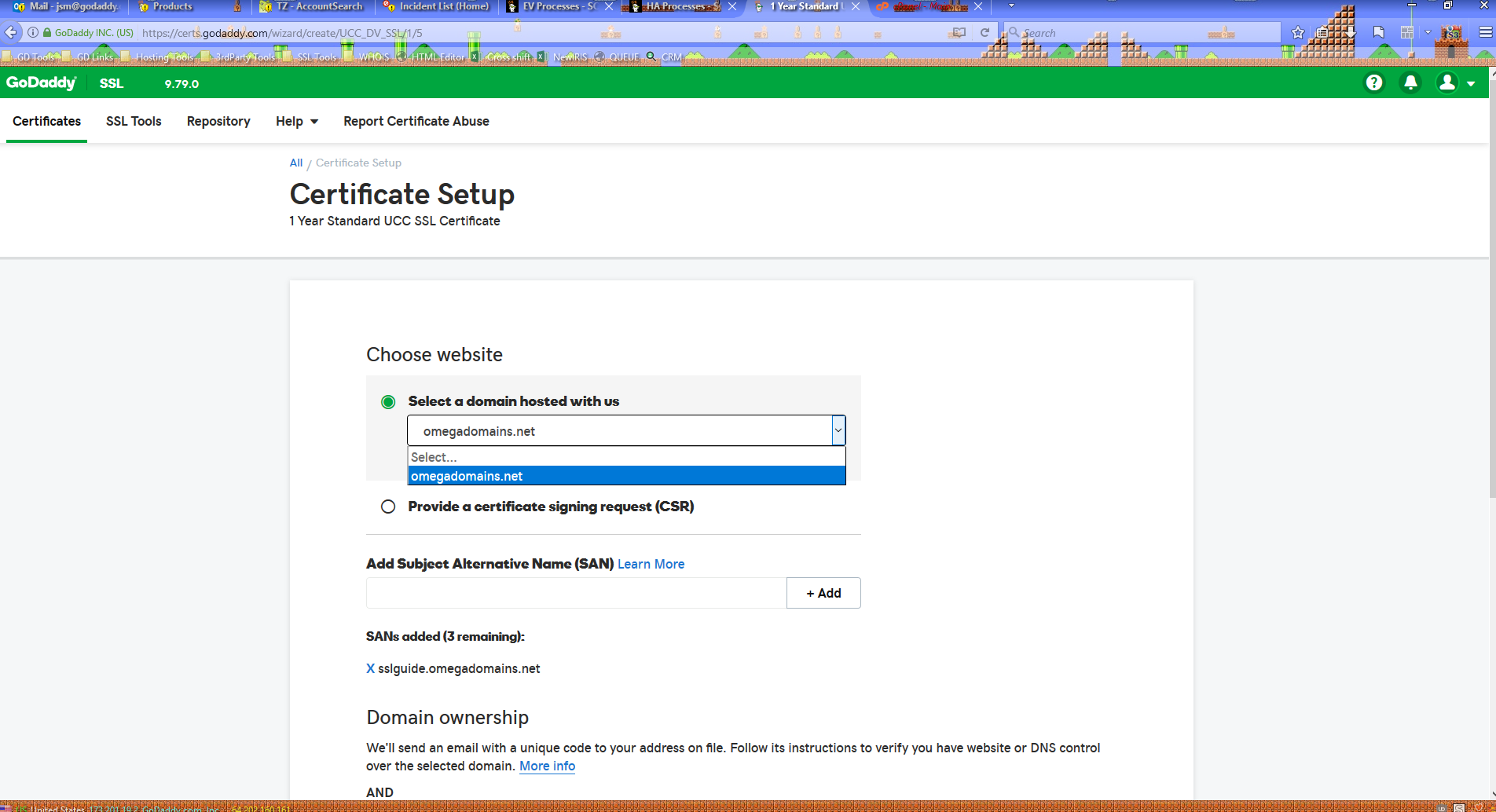
For the initial request of the UCC, I'll be using the Common Name (omegadomains.net) and one SAN (sslguide.omegadomains.net).
Note that the "Select domain hosted with us" auto-install option ONLY lists the primary domain of shared hosting plans in the same account. It does not list shared hosting add-on domains or subdomains, or domains hosted on dedicated servers and VPS, or domains hosted elsewhere.
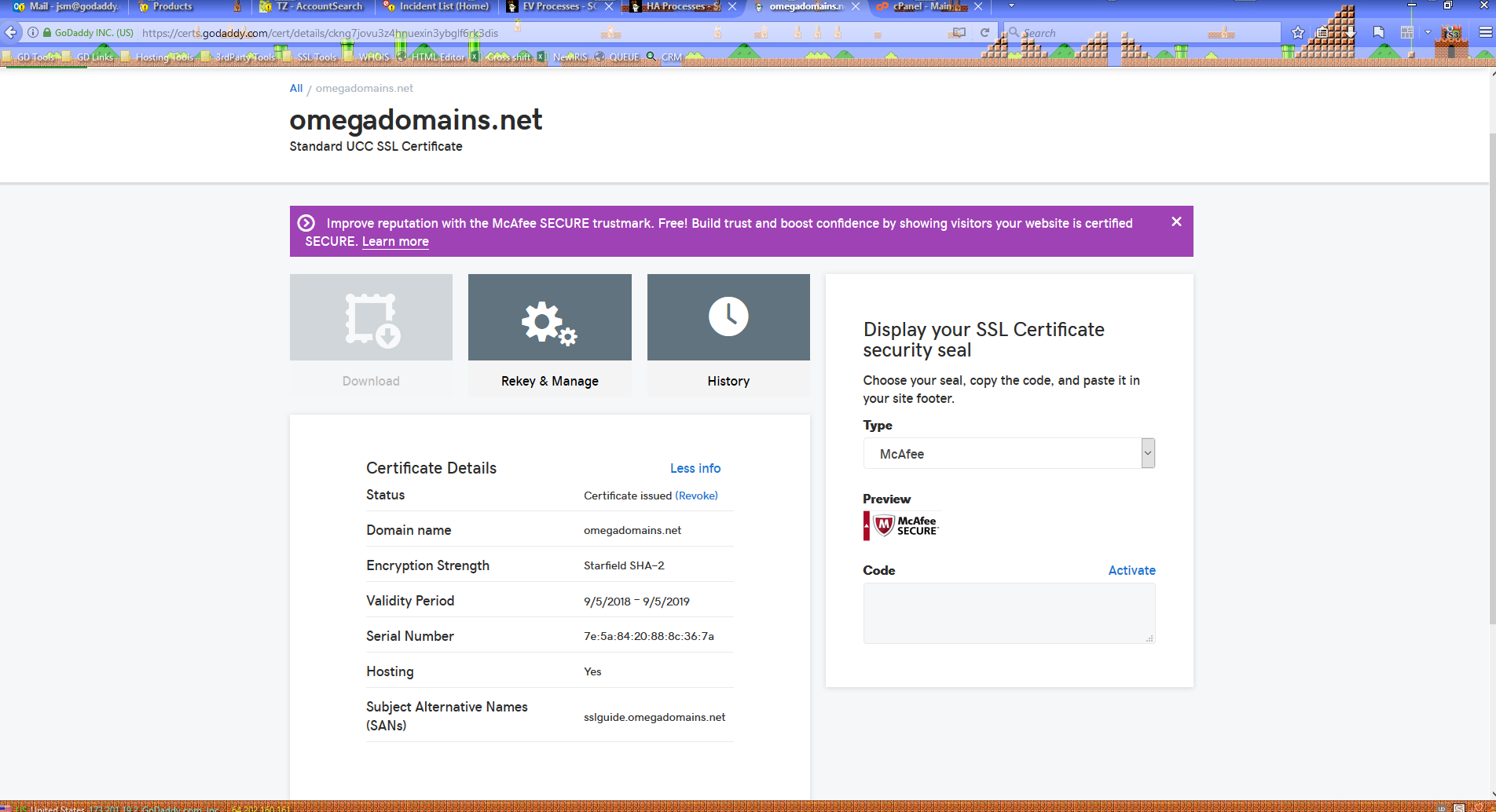
With the certificate now issued, we have its serial number: 7e:5a:84:20:88:8c:36:7a
This is important to note because the serial number is unique to every instance of every certificate.
The "Hosting: Yes" line appears when a certificate is auto-installed to our shared hosting, and is the reason why the Download button is disabled.
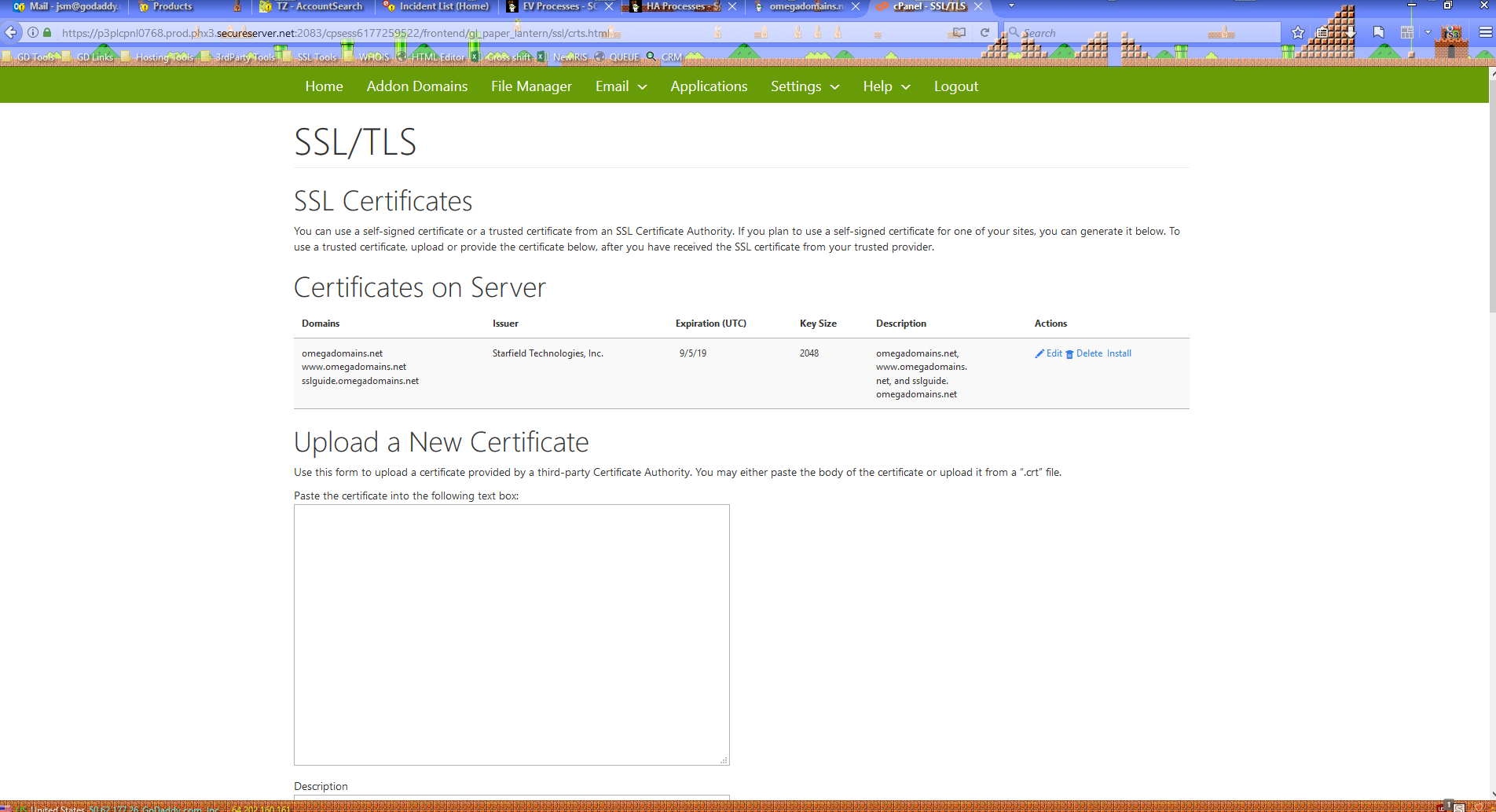
In the SSL/TLS manager in cPanel, I can confirm that the UCC was installed.
Interestingly enough, cPanel deleted the single-domain SSL for omegadomains.net in the process.
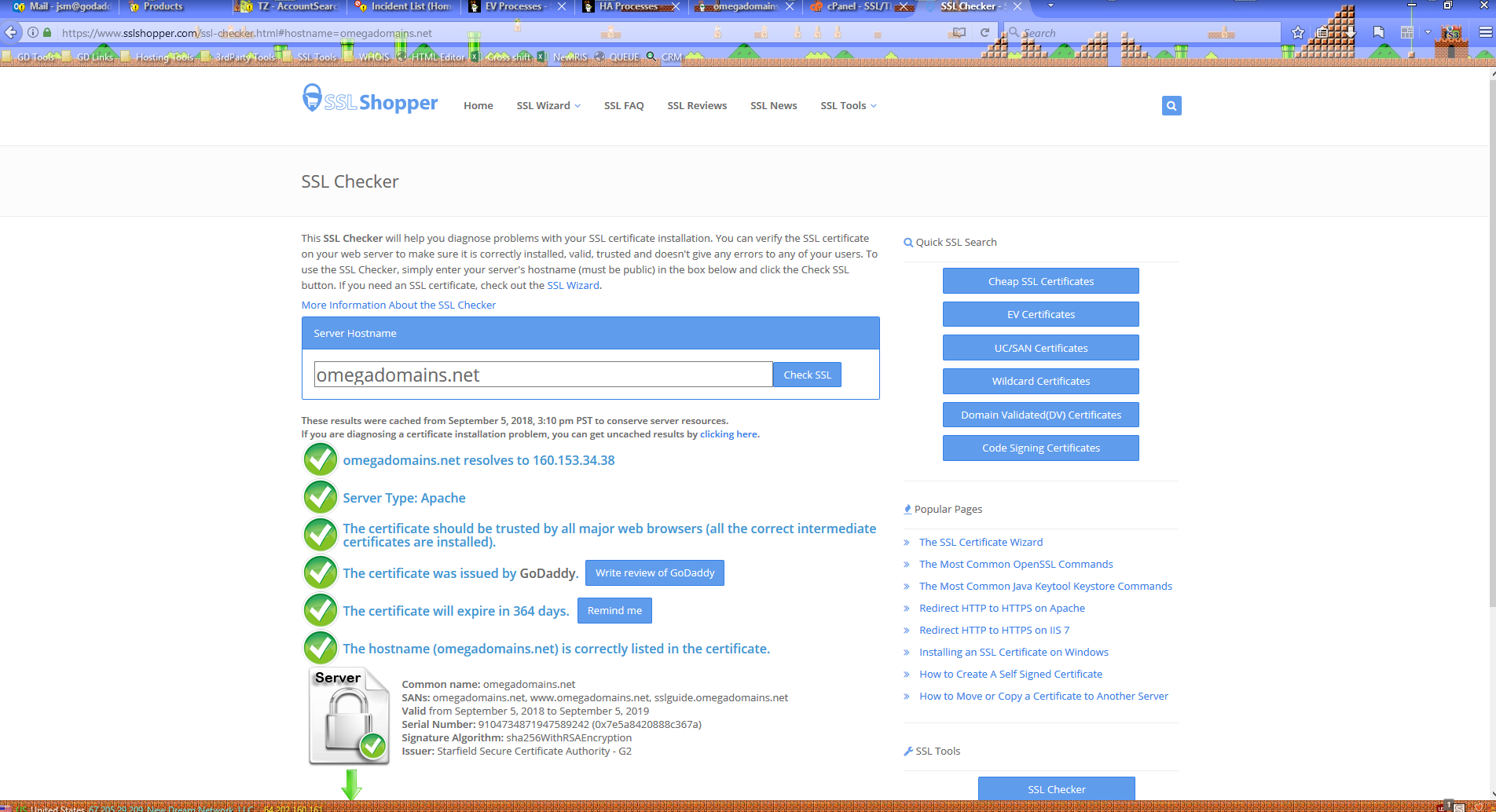
Using an external checker, I can verify that the UCC was correctly installed to omegadomains.net. This can be determined by the serial number, as it matches what shows in our SSL manager.
Note that SSLShopper says Starfield SSLs are issued by GoDaddy, so it's not a good idea to refer Reseller customers to SSLShopper.
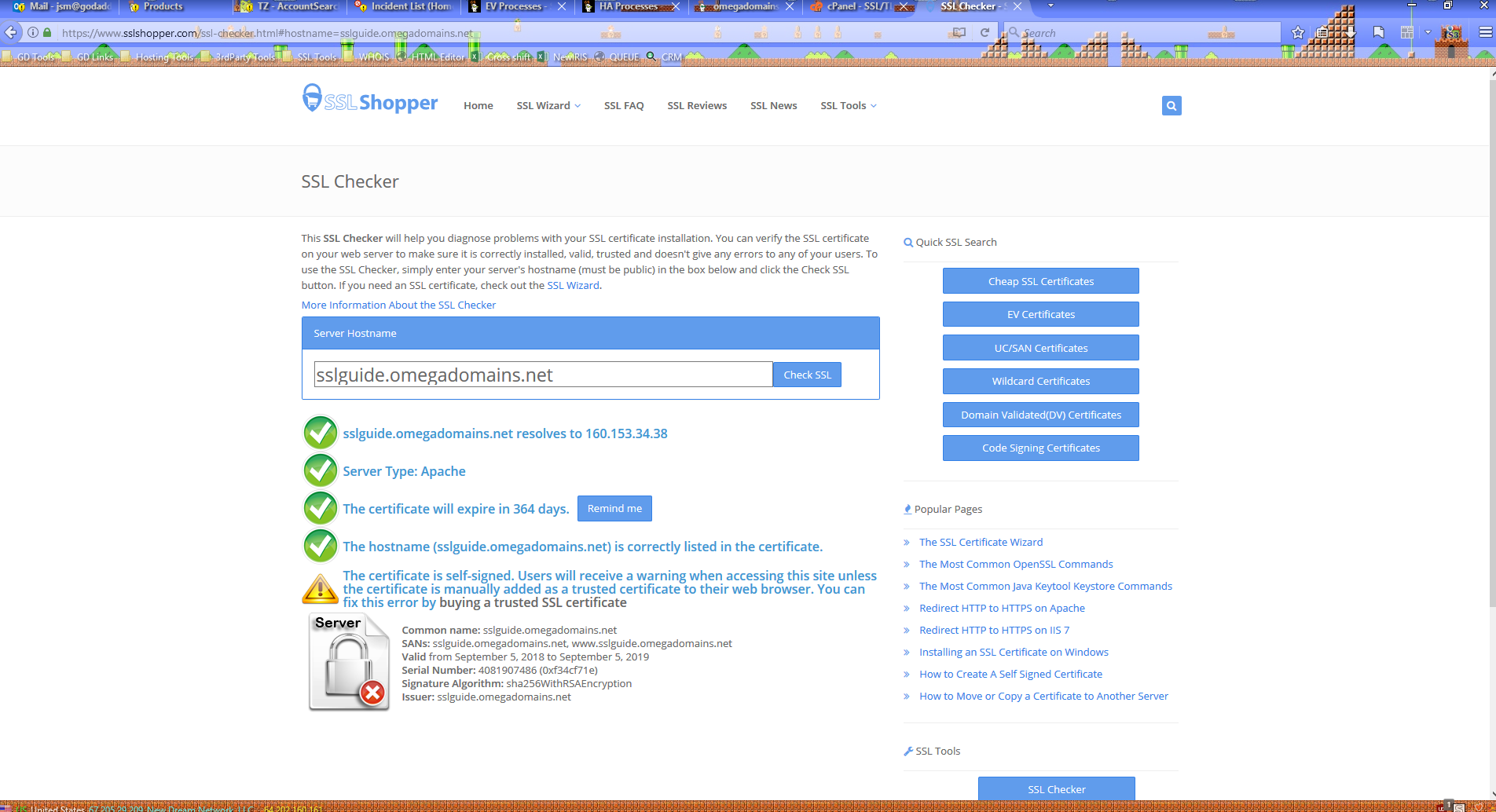
... However, it did not install the UCC to the subdomain, sslguide.omegadomains.net. It still shows a self-signed certificate, even though I deleted that from cPanel.
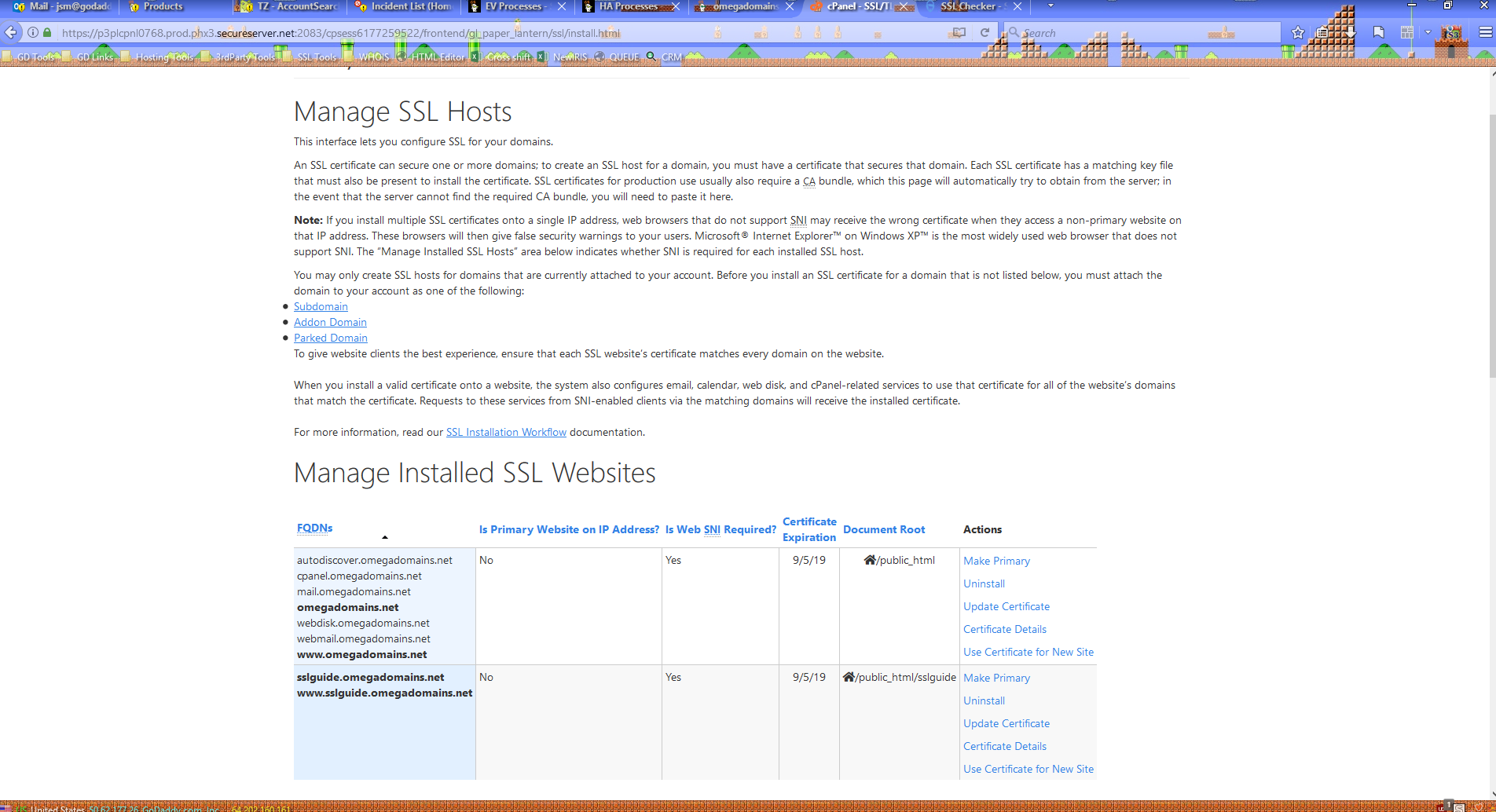
Sure enough, cPanel still shows a certificate is attached to sslguide.omegadomains.net. So, I'll just uninstall that and...
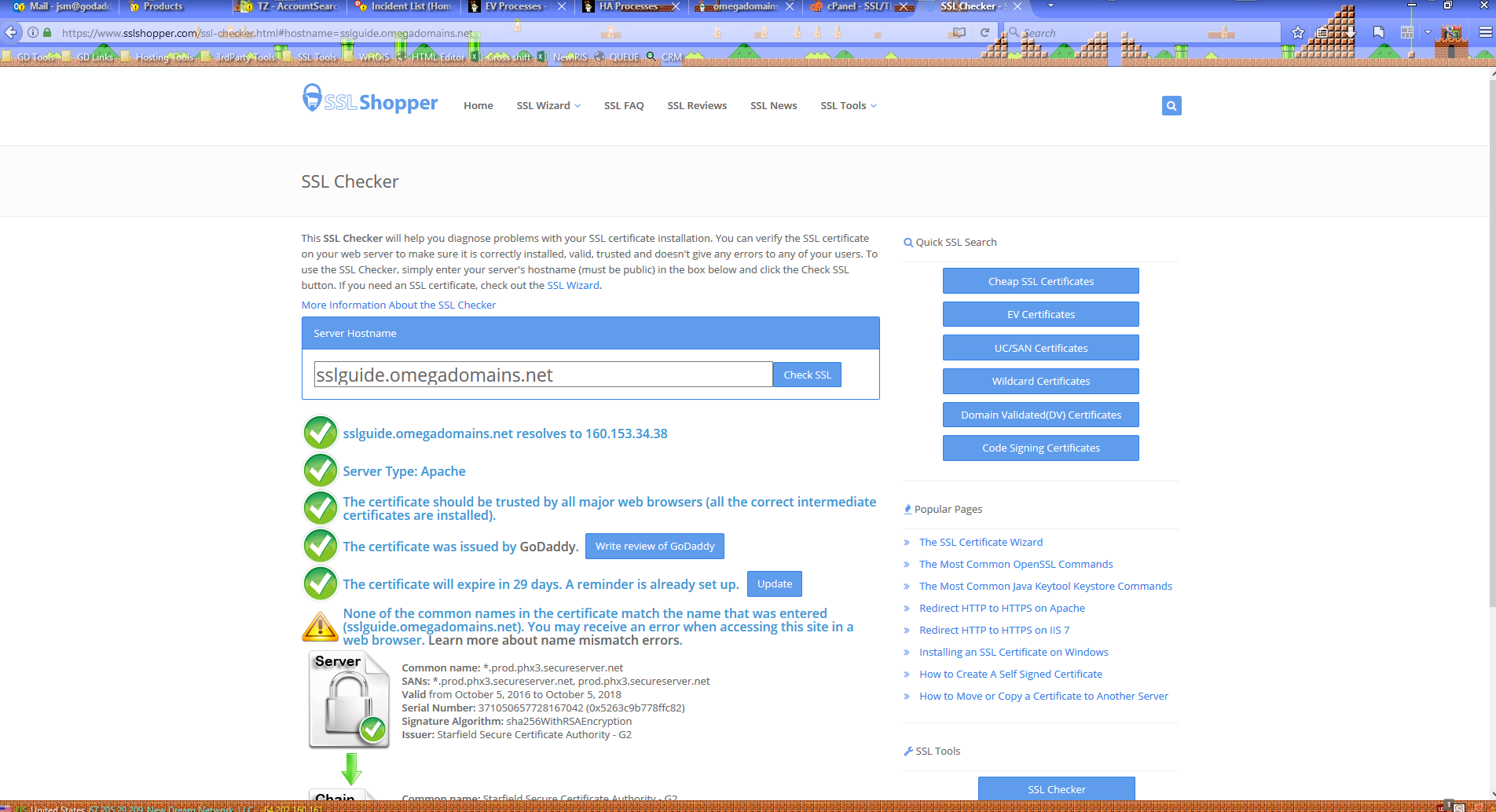
... Now it shows the certificate issued to the server (note how the Common Name ends in secureserver.net).
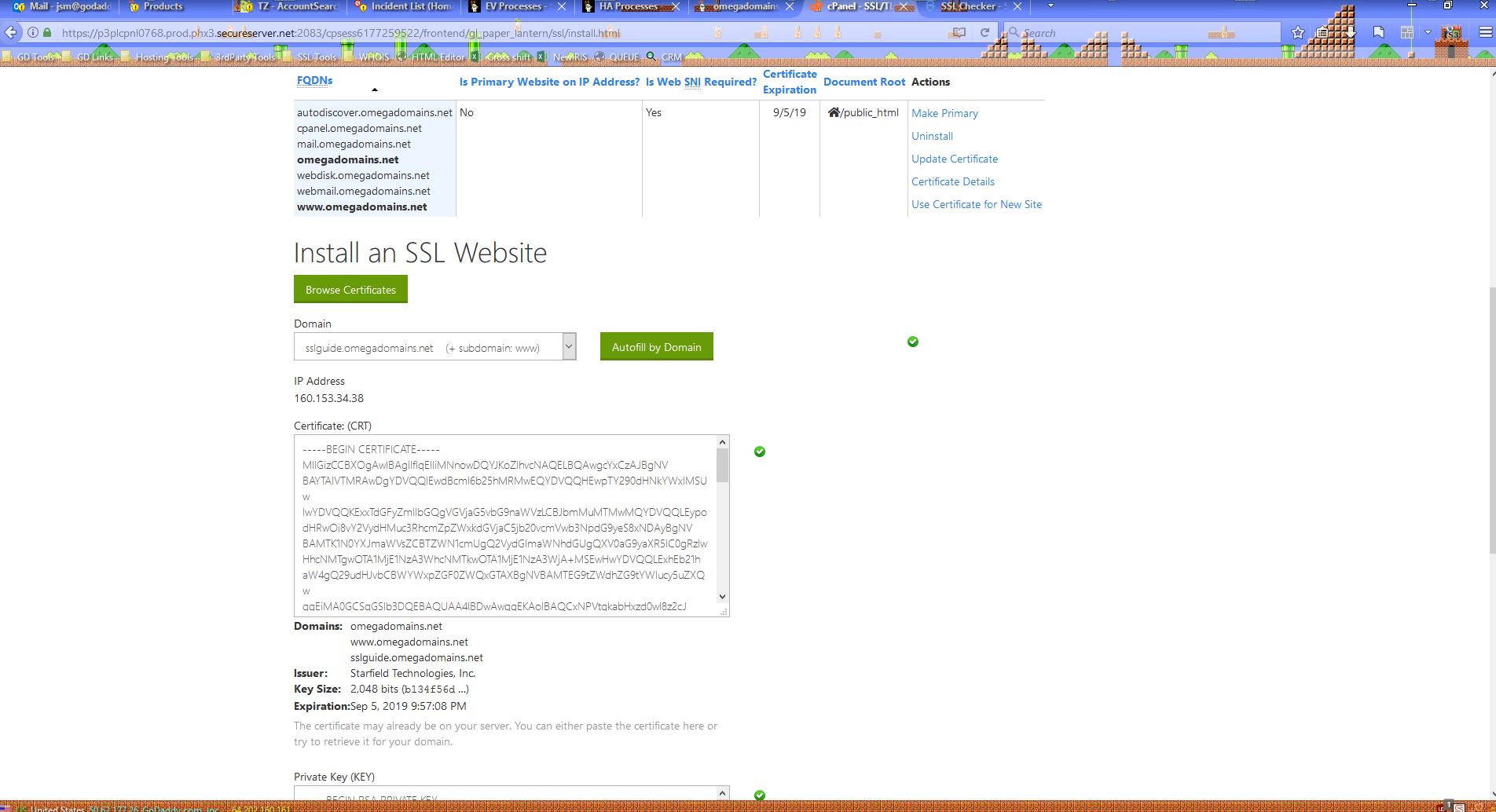
Through cPanel, I'll manually attach the UCC to the subdomain...
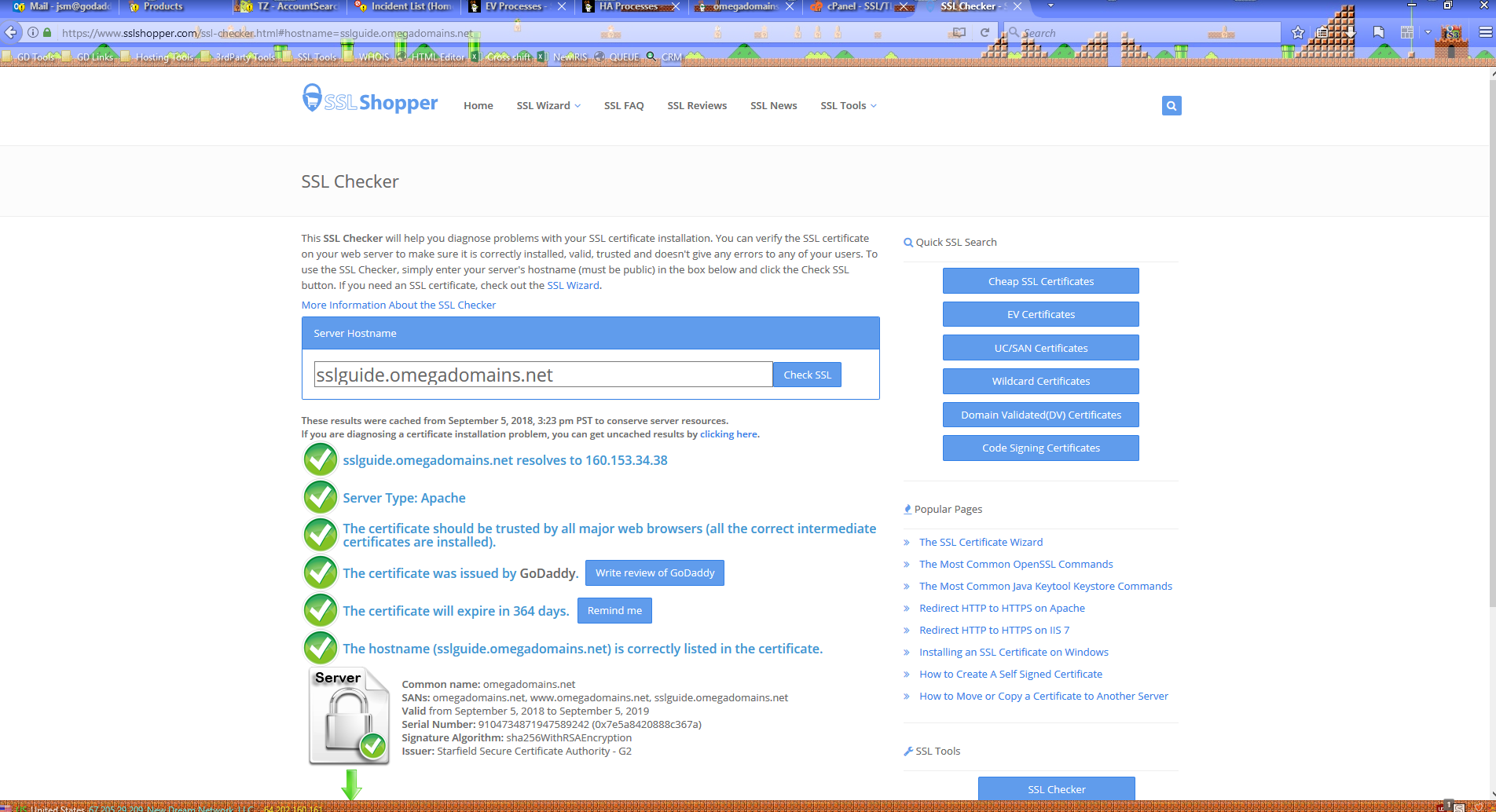
... And now the UCC correctly resolves off of the subdomain.
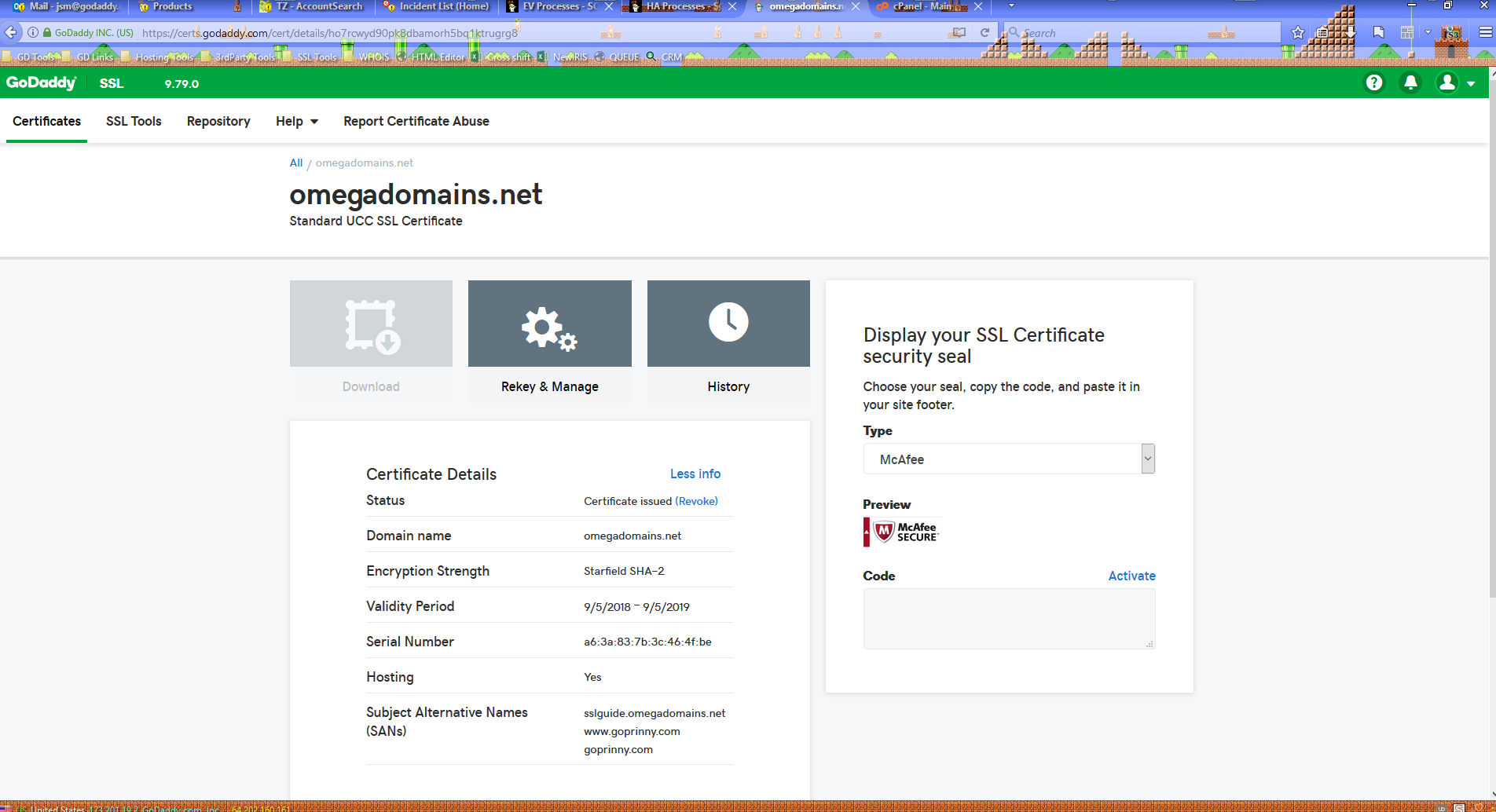
Next, I reissued the certificate by adding another couple of SANs to it, goprinny.com and www.goprinny.com. The serial number is now a6:3a:83:7b:3c:46:4f:be.
Note that SANs on a UCC only cover the exact host name/FQDN added. For a secondary domain to be secured both with and without the "www' subdomain, both must be added as SANs.
This isn't necessary for the Common Name, since for every certificate we issue, the Common Name is added both with and without the "www" subdomain as SANs. If you look back at the above scan, you'll see that both omegadomains.net and www.omegadomains.net are SANs, even though I did not manually add www.omegadomains.net as a SAN. This did not use up one of my available SAN slots.
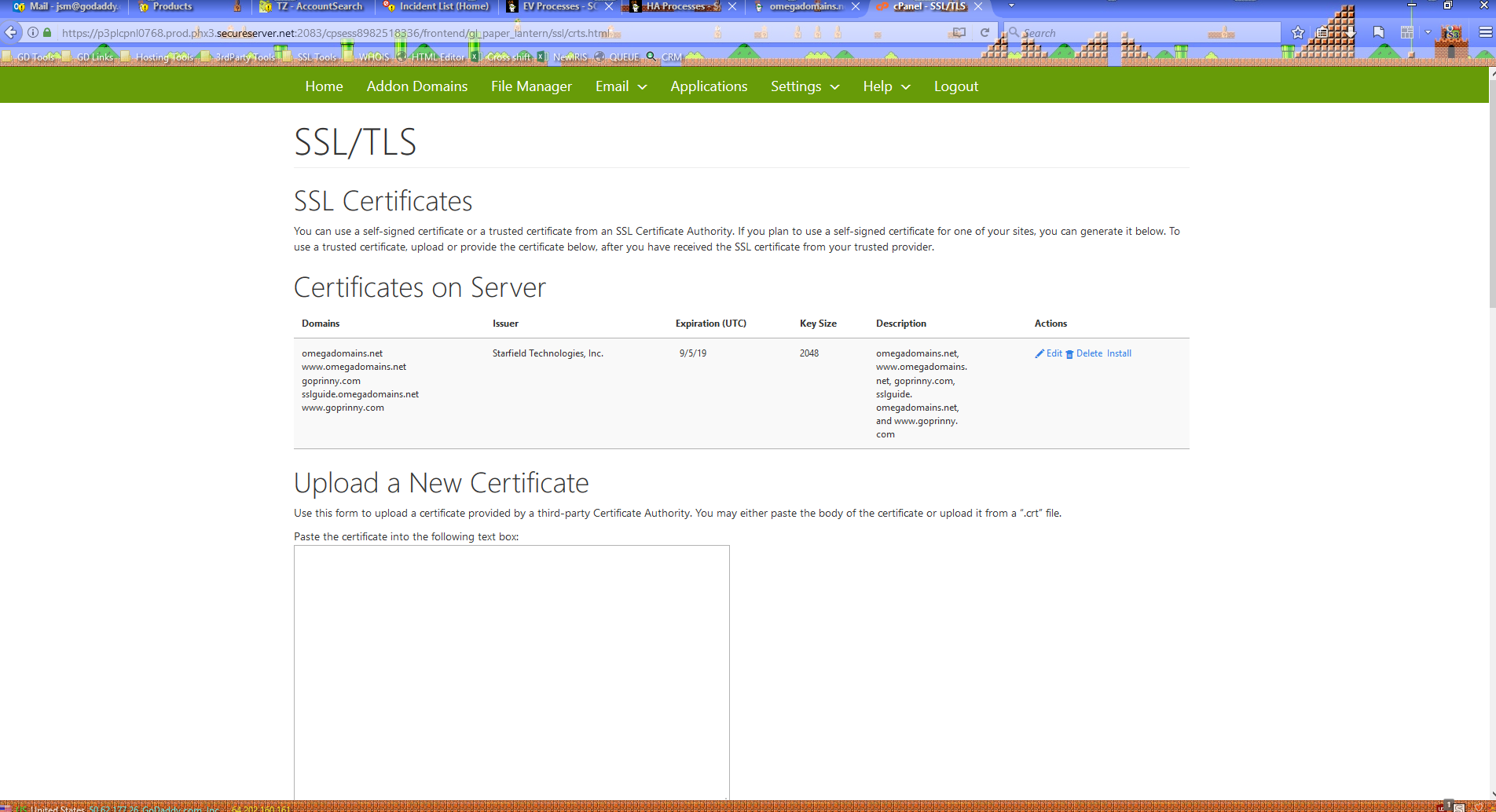
cPanel installed the new version of the UCC, and deleted the old version in the process.
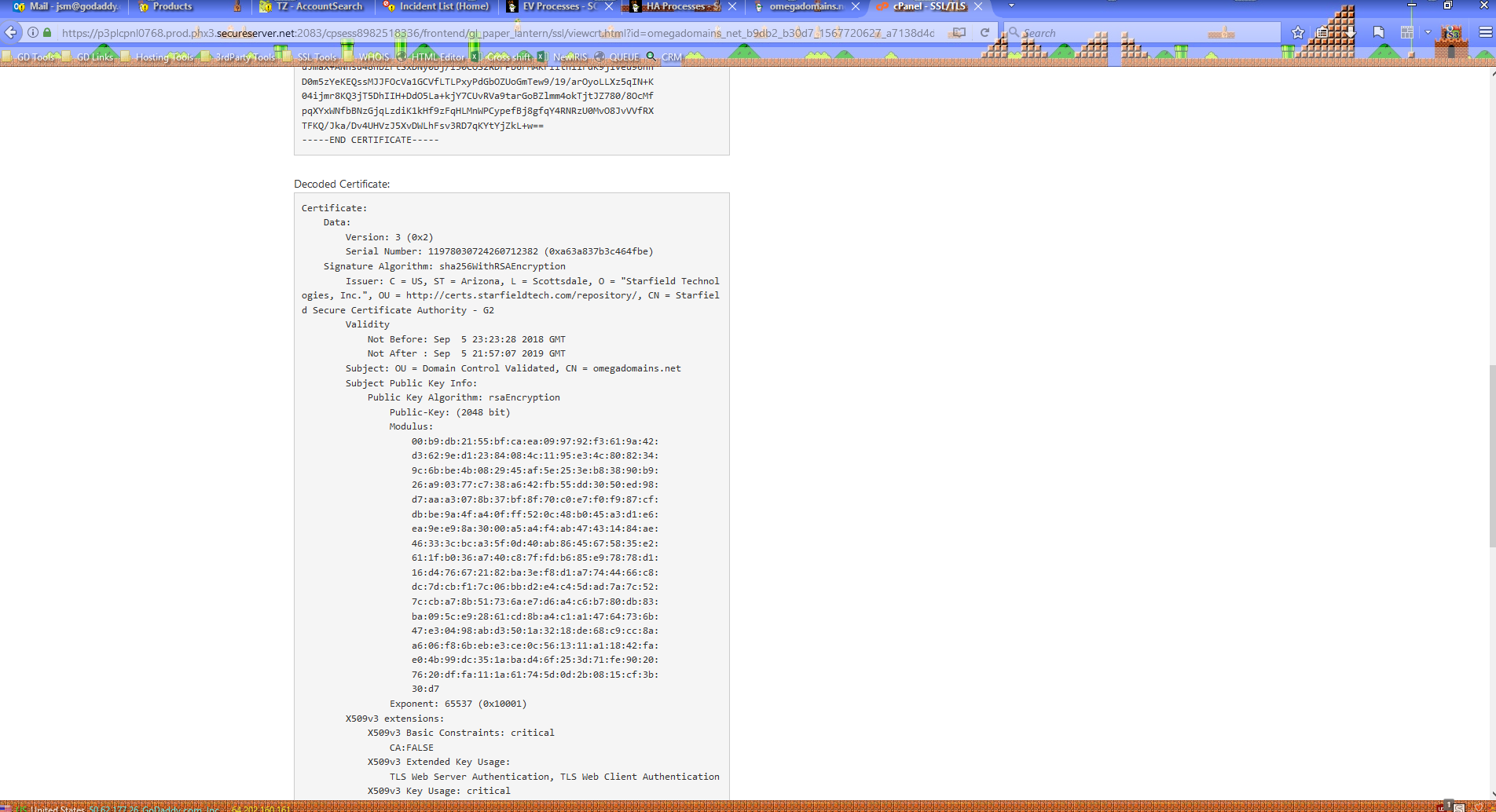
This can be verified inside cPanel by clicking the Edit link and scrolling down to the Decoded Certificate section. If the serial number matches what shows in our SSL manager, then it's the correct version of the cert. It does match, just formatted differently.
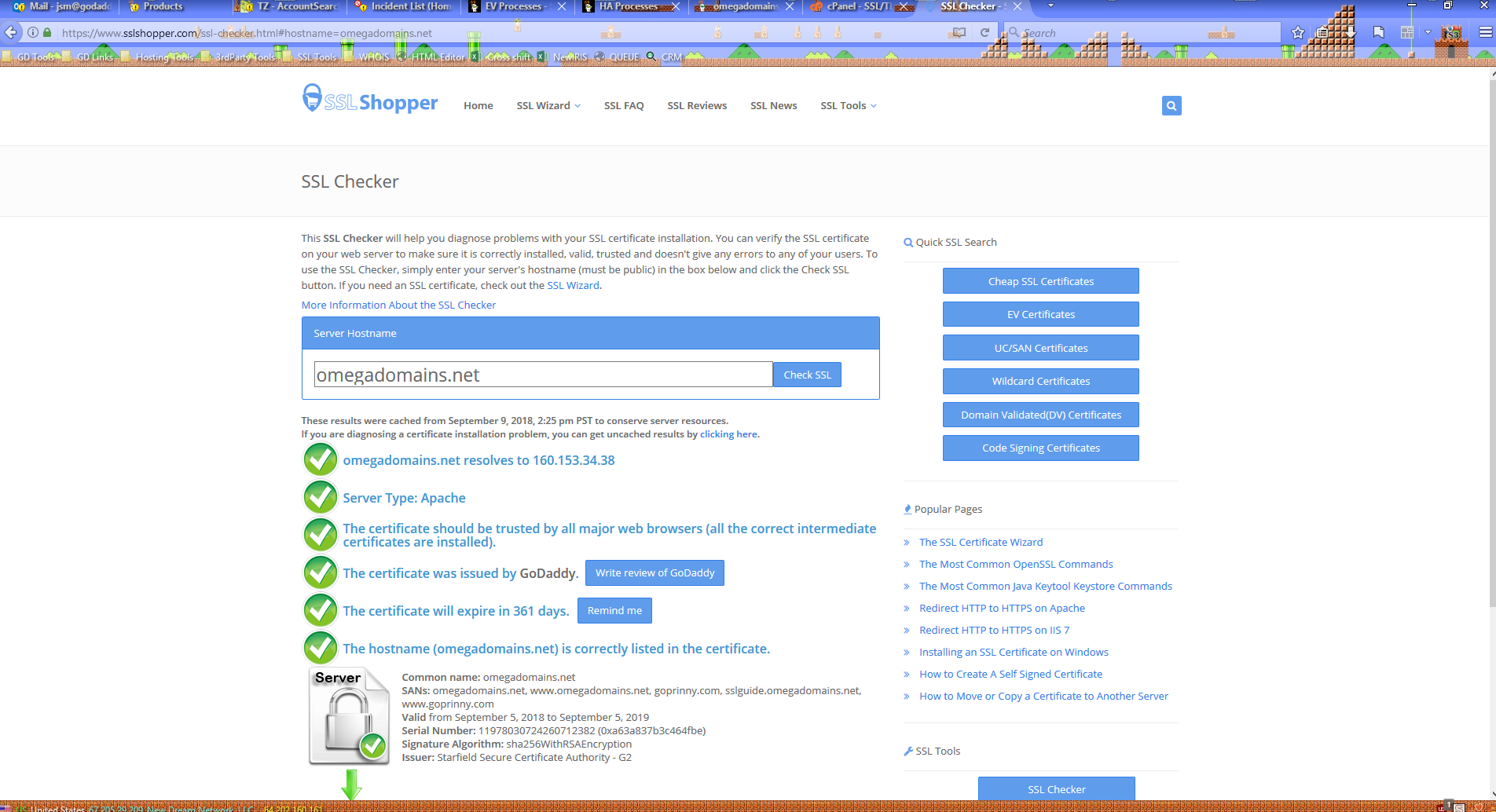
I waited a couple of days to move to the next step, so that the old version of the certificate would be revoked. Every time a certificate is reissued, the old version is revoked 72 hours after the new version is issued. This is based on when the certificate is issued, not when the request was submitted.
The new version of the UCC was correctly installed to the Common Name. The serial number matches.
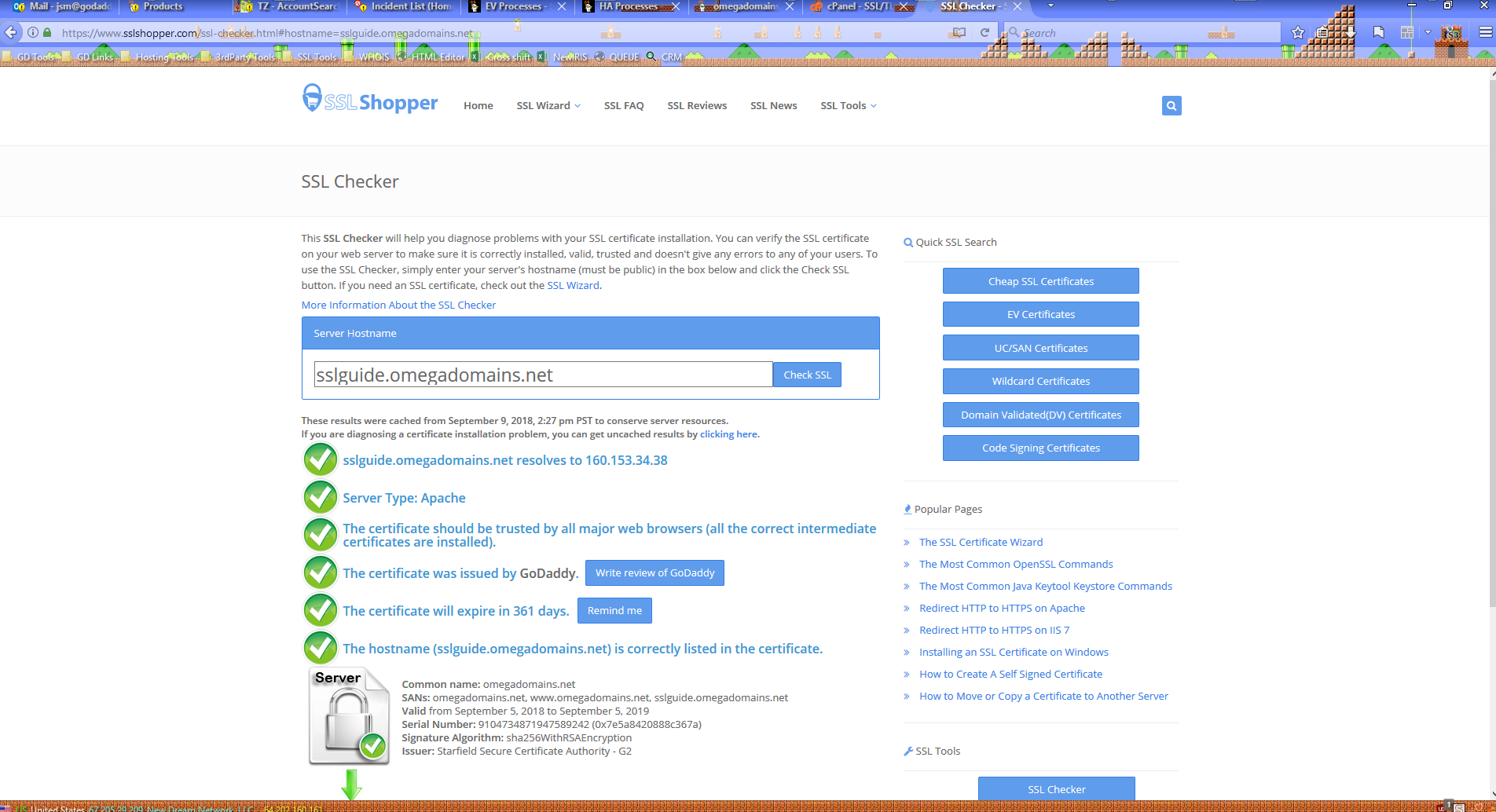
However, it did not install the new version of the certificate to the existing SAN of sslguide.omegadomains.net. This is still showing the old version of the UCC, as can be determined by the serial number.
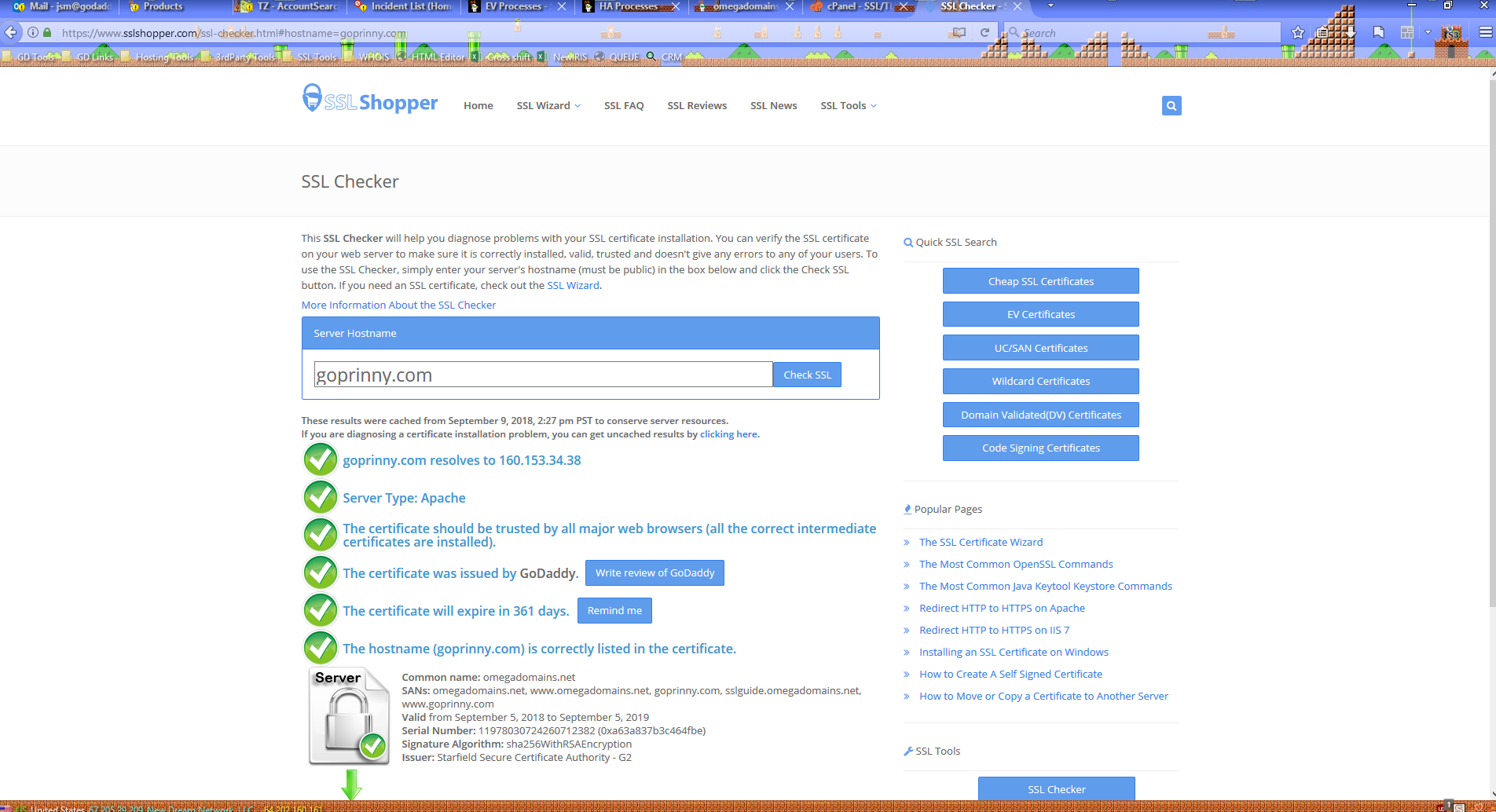
But, it did correctly install the certificate tot he new SAN of goprinny.com.
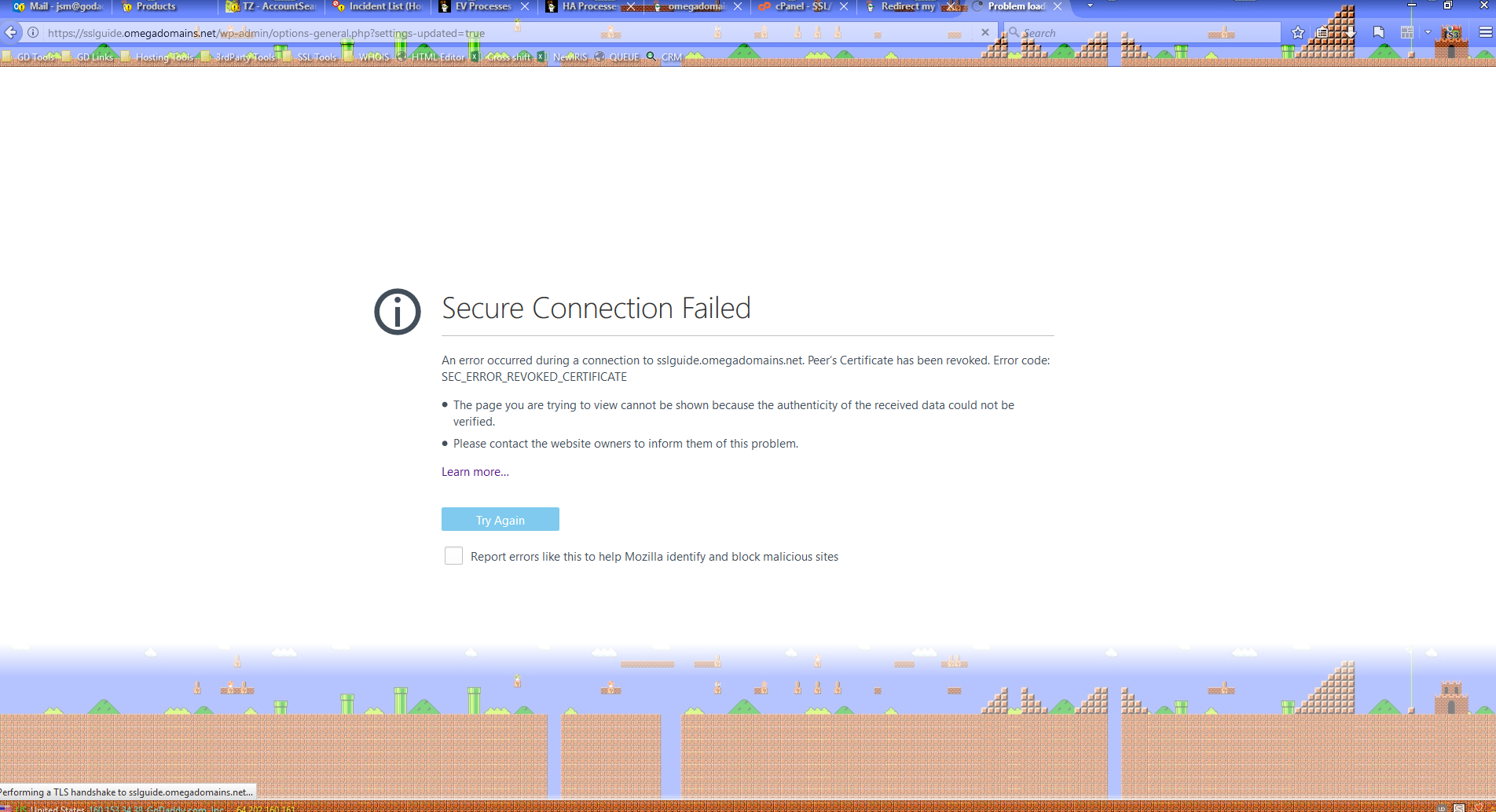
Before attaching the new version of the UCC to sslguide.omegadomains.net, I attempted to enable an HTTPS redirect on the site. As expected, this prevented access to the site since the old version of the UCC was revoked. The new version of the certificate has since been manually attached (as was also done earlier), which is why you're able to view this site now over HTTPS.
Error pages like this in Firefox and Chrome give an error code as to why the connection failed (in this case, SEC_ERROR_REVOKED_CERTIFICATE since the installed certificate was revoked). Sometimes you may need to click an "Advanced" button to see more information.
Additionally, Chrome does not properly check for certificate revocation. So if a site resolves fine in Chrome but not in Firefox or other browsers, then it's safe to assume the other browsers are correct.